AncestryPreserve
A 0→1 home for families to keep, relive, and share their digitized memories — inside Ancestry, across iOS, Android, and web, in three months.
- ROLE
- Lead Designer — post-digitization experience
- TIMELINE
- Oct 2025 – Jan 2026 (launch) · expanded through mid-2026
- PLATFORMS
- iOS · Android · Web
- COMPANY
- Ancestry
At a glance
- Role: Lead designer for the post-digitization experience
- Timeline: Concept to cross-platform launch in ~3 months (Oct 2025 → Jan 2026)
- Platforms: iOS, Android, and web
- Context: Ancestry’s acquisition of iMemories, productized inside Ancestry
The opportunity
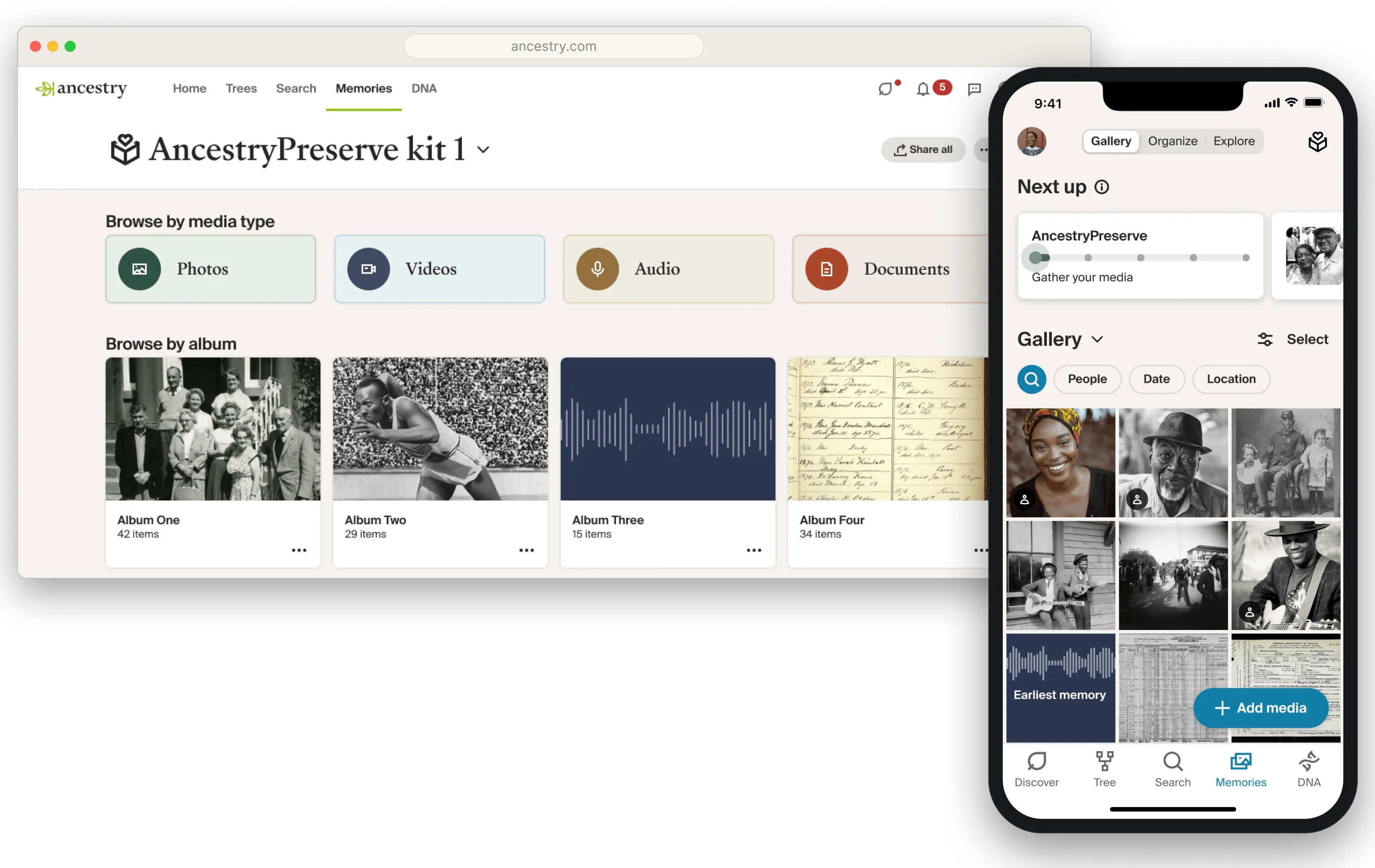
Ancestry acquired iMemories, a service that digitizes physical media — old VHS and camcorder tapes, film reels, slides, and prints. The task wasn’t a standalone memory app; it was to build a product inside Ancestry that could take a family’s physical media out to iMemories for digitization, bring it back, and land it on the platform alongside the media they already had there.
I led the design for the back half of that pipeline — the post-digitization experience: everything that happens once a family’s memories come home digital. (The commerce and send-in side — how kits are bought and media is shipped — was outside my scope.)
Why it didn’t just slot in
Ancestry already had a rich media world — photos attached to people, galleries, media woven into family trees. The obvious move was to drop the newly digitized media straight into it. That was the wrong move, for one fundamental reason: Ancestry’s tree media is essentially public.
That’s fine for an ancestor gone a century. It’s not fine for a home movie of people who are very much alive — and digitized personal media skews heavily toward the living. Early research made the point sharply: customers wanted their memories digitized, but that did not mean they wanted every clip and photo conscripted onto their public family tree.
So the foundational decision was to build AncestryPreserve as a separate library — its own space, its own privacy posture — rather than folding it into the tree. The design challenge became: keep it separate without letting it become an orphaned silo.
The design
The product came down to four things families do with their memories — find them, organize them, relive them, and share them — each shaped by the same two forces: a privacy-first stance, and a genuinely brutal timeline.
Find it — one place, without the rebuild
The north star was a single unified gallery: preserved and tree media together, with toggles to filter types on or off. Getting there truly meant significant backend work to merge two media systems — and there wasn’t time. So rather than fake it or drop the goal, I shipped a bridge: an entry point to your digitized library embedded inside the existing gallery page, so people arrive in one familiar place and cross over, with secondary routes through the main nav. Same destination, honest about the seams, buildable in the window.
Organize it — inherited structure, familiar surface
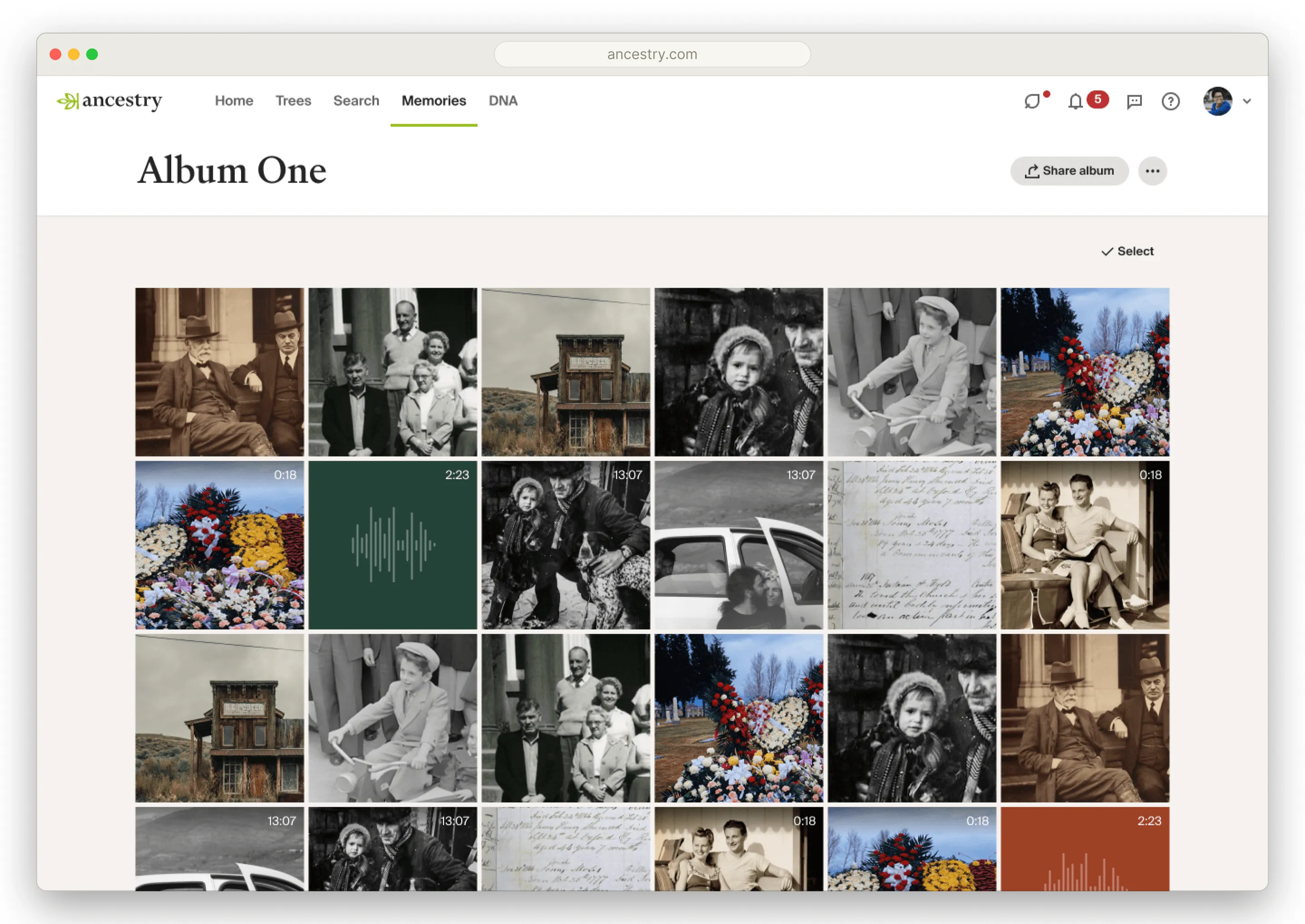
Everything arrived as albums, a model inherited from how iMemories already worked — rebuilding it wasn’t on the table for launch. Each video tape became an album of its clips; photos grouped by how they were physically sent in (separate collections stayed separate; one bag became one album). The viewing experience deliberately mirrored existing Ancestry patterns, so a brand-new product felt familiar and well-integrated from the first tap.
Relive it — deliberately simple at launch
For launch, reliving meant faithful, familiar playback and viewing rather than anything flashy — the right call under the timeline, and the foundation richer reliving would build on later.
Share it — the inverse of Ancestry’s default
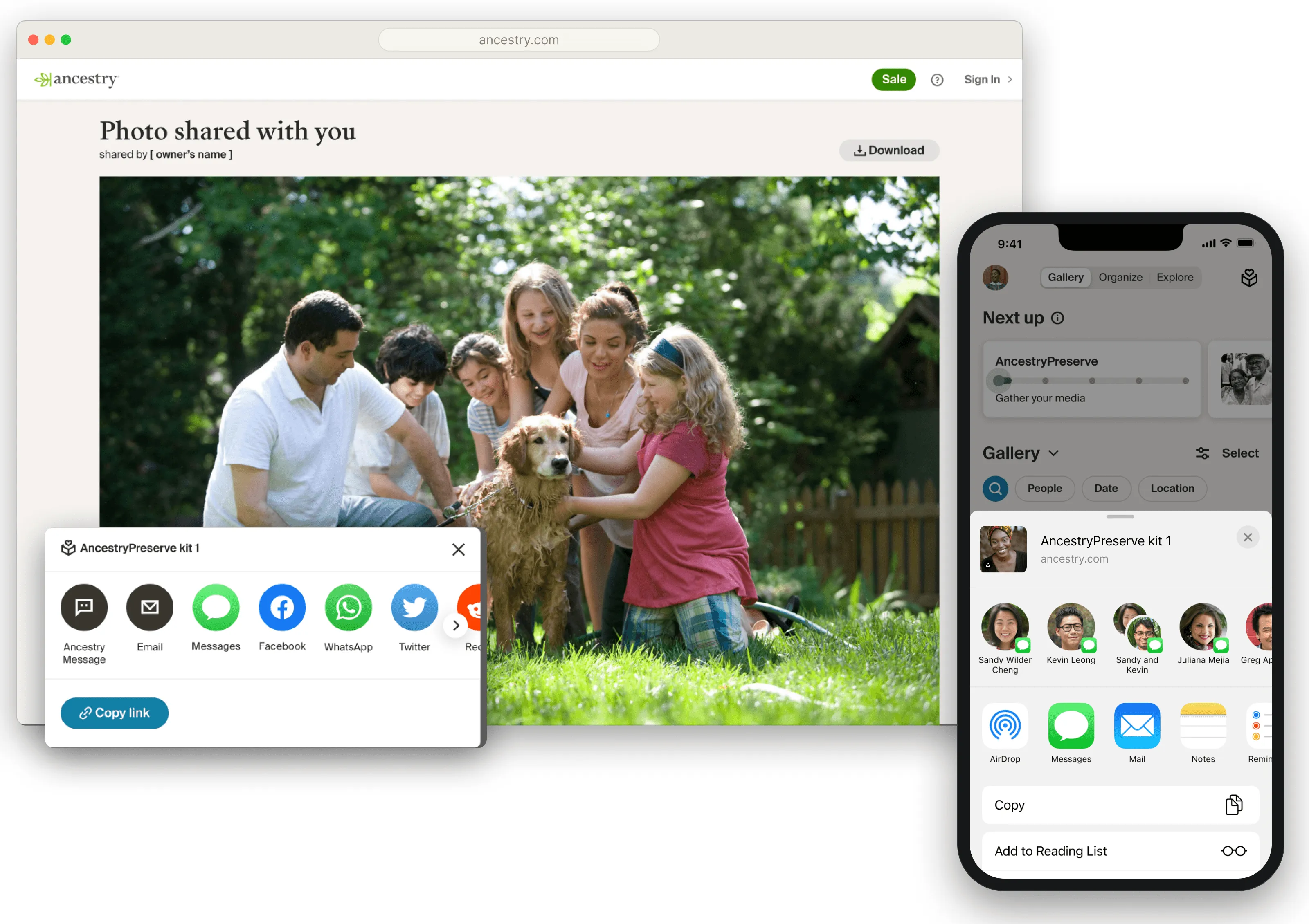
Sharing is where the privacy stance pays off. Ancestry’s tree media is discoverable — any member can find your tree and browse it, and relatives get hints nudging them toward media you’ve added. Preserve does the opposite: its media is never hinted. You share via private links — to a single item, an album, or a full Preserve kit — handed to exactly whom you choose. Full, opt-in control: the mirror image of the public model right next door.
Parity across three platforms
Shipping iOS, Android, and web at once in three months was only possible because the design system was ready for it. I’d invested in Aspen Mobile, deliberately carrying as much of Ancestry’s design language across platforms as made sense while preserving what makes an app feel genuinely iOS or Android. I’d built cross-platform equivalencies into the library — so when web did something one way, we already knew how iOS and Android would each answer. Preserve inherited parity instead of renegotiating it screen by screen; experience closed the last mile.
How I led it
I created the overall framework of the post-digitization experience — the structure every other designer worked inside. I designed the main spaces and flows myself; other designers owned contained, specialized surfaces (one, for example, took bulk download). Where their work collided with something else in flight, I worked with them to resolve it. Owning the frame and holding the whole thing coherent was the job.
After launch: deepening and a strategic bet
The first half of 2026 split into two kinds of work.
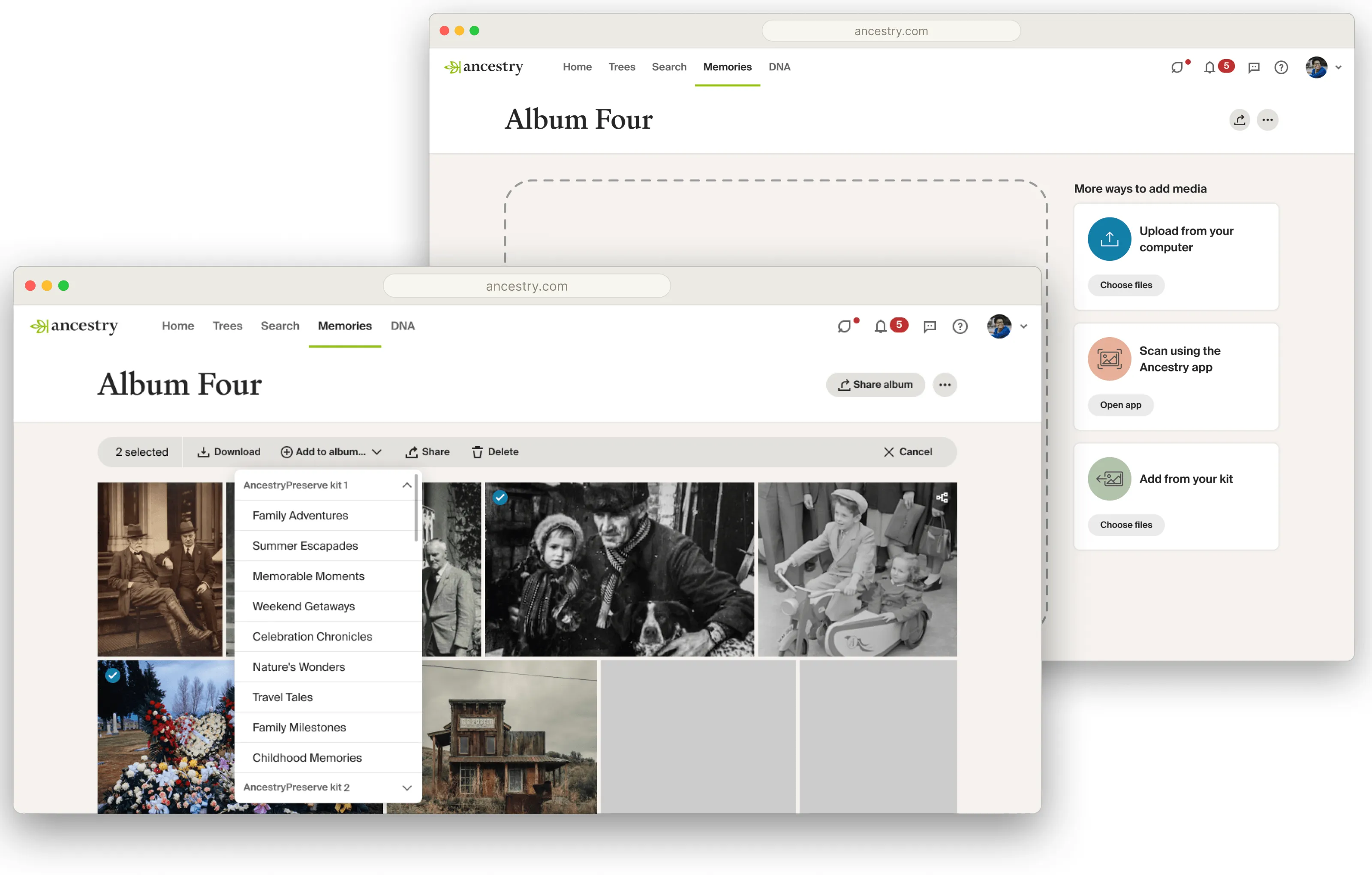
Deepening what shipped. Better organization — creating new albums, moving media between them. Enhancements to the face-grouping feature (which scans photos to gather everyone showing the same person; another designer built the original — I designed the enhancements, like pulling a non-matching face out of a group). And finding the right in-product moments to introduce Preserve to the people most likely to want it.
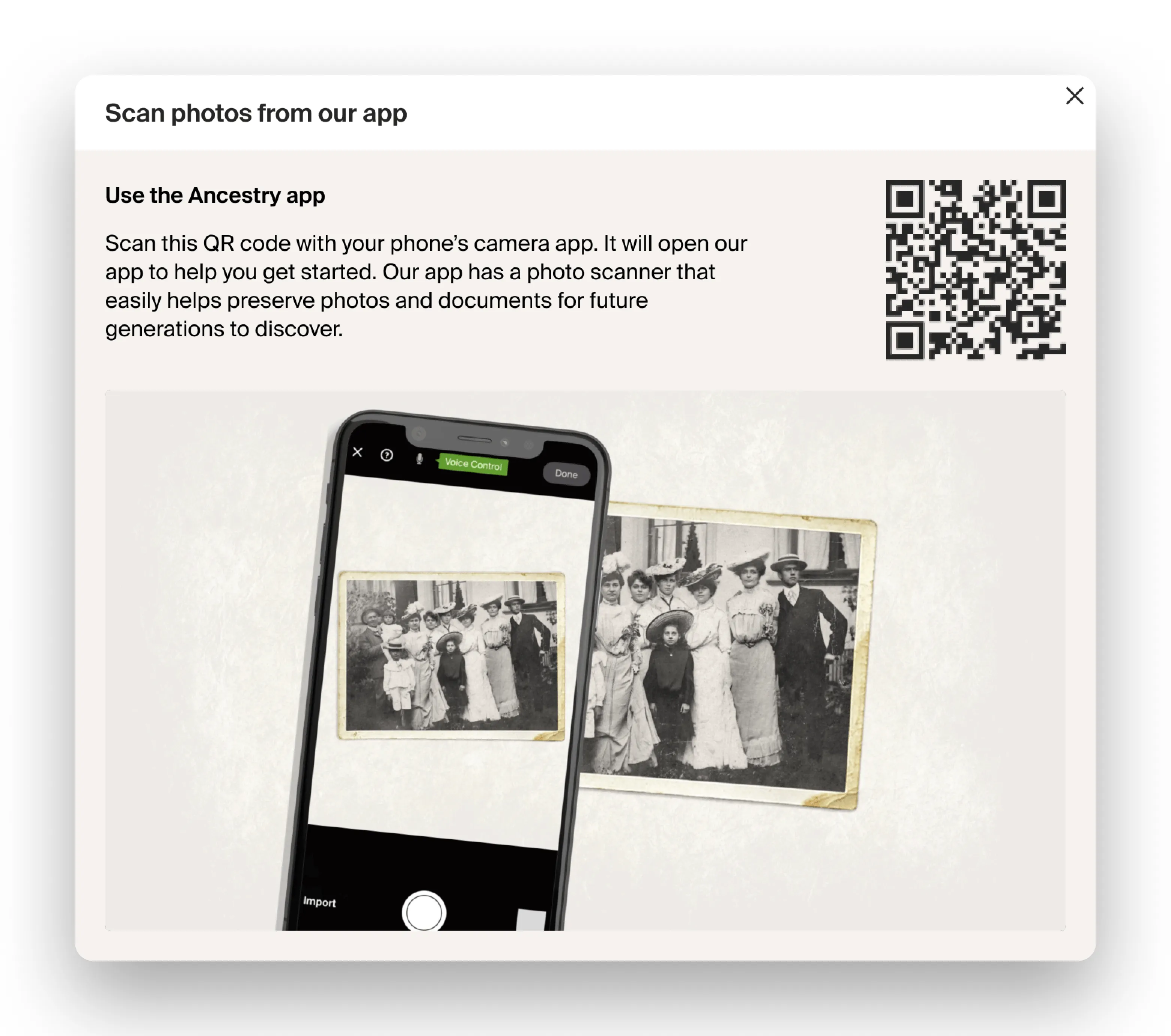
A strategic bet on the funnel. Most of this was the work the launch rush hadn’t allowed — starting with real user interviews about how people wanted to engage with their memories. The bigger question: was there appetite for Preserve customers to step into Ancestry’s core tree and research product, and could their own digitized media be the on-ramp? We researched inverting Ancestry’s usual funnel — start with your media, and build a family tree out of it — using the emotional pull of personal memories as the way in. Much of this was groundwork for Q3/Q4; we shipped refinements and explorations before my role was cut in June 2026.
Outcome
AncestryPreserve launched in January 2026 across iOS, Android, and web — concept to shipped, cross-platform, in about three months — and the work continued through mid-2026, deepening the experience and laying groundwork for what came next.
Reflection
Delivering a completely new product at Ancestry on that timeline was stressful, but deeply rewarding. I’ve always prided myself on being a pragmatic designer: I want to ship cool designs and experiences, but it matters far more that they actually ship. AncestryPreserve was a great chance to have exactly those hard conversations — what absolutely needed to be in the launch, and what was merely nice to have.
It’s also the project I didn’t get to finish. I still think about the work we left in progress — a lot of really good ideas in various stages — and I feel a little sad not getting to see how it all unfolds. Rewarding to build; hard to leave.