Record Narratives
Sole designer on Ancestry's move into generative AI — from a carefully vetted Q&A toe-dip to live narratives that find the story inside a census record.
- ROLE
- Sole designer — generative-AI features
- TIMELINE
- 2023
- PLATFORMS
- iOS · Android · Web
- COMPANY
- Ancestry
At a glance
- Role: Sole designer on both features; co-author of Ancestry’s original AI design guidelines
- Timeline: DNA Story Q&A — Ancestry’s first shipped generative-AI feature — in 2023; Record Narratives followed soon after, announced on the RootsTech stage
- Platforms: Mobile first on iOS and Android, web soon after
- The durable artifact: an AI icon and design guidelines that labeled Ancestry’s AI features long after these two shipped
Every company, same question
This work started in that stretch right after ChatGPT hit the scene, when every company was frantically trying to figure out what this new technology meant for their product. Ancestry’s version of the question came with unusual stakes: the product is about real records and real ancestors. A generated sentence that’s wrong about a DNA region is a liability; a generated sentence that’s wrong about your grandmother is personal. Whatever we built had to earn trust before it could do anything interesting.
So the arc of this work is really a trust arc — two features, each one earning the permission for the next.
The toe-dip — Q&A on your DNA Story
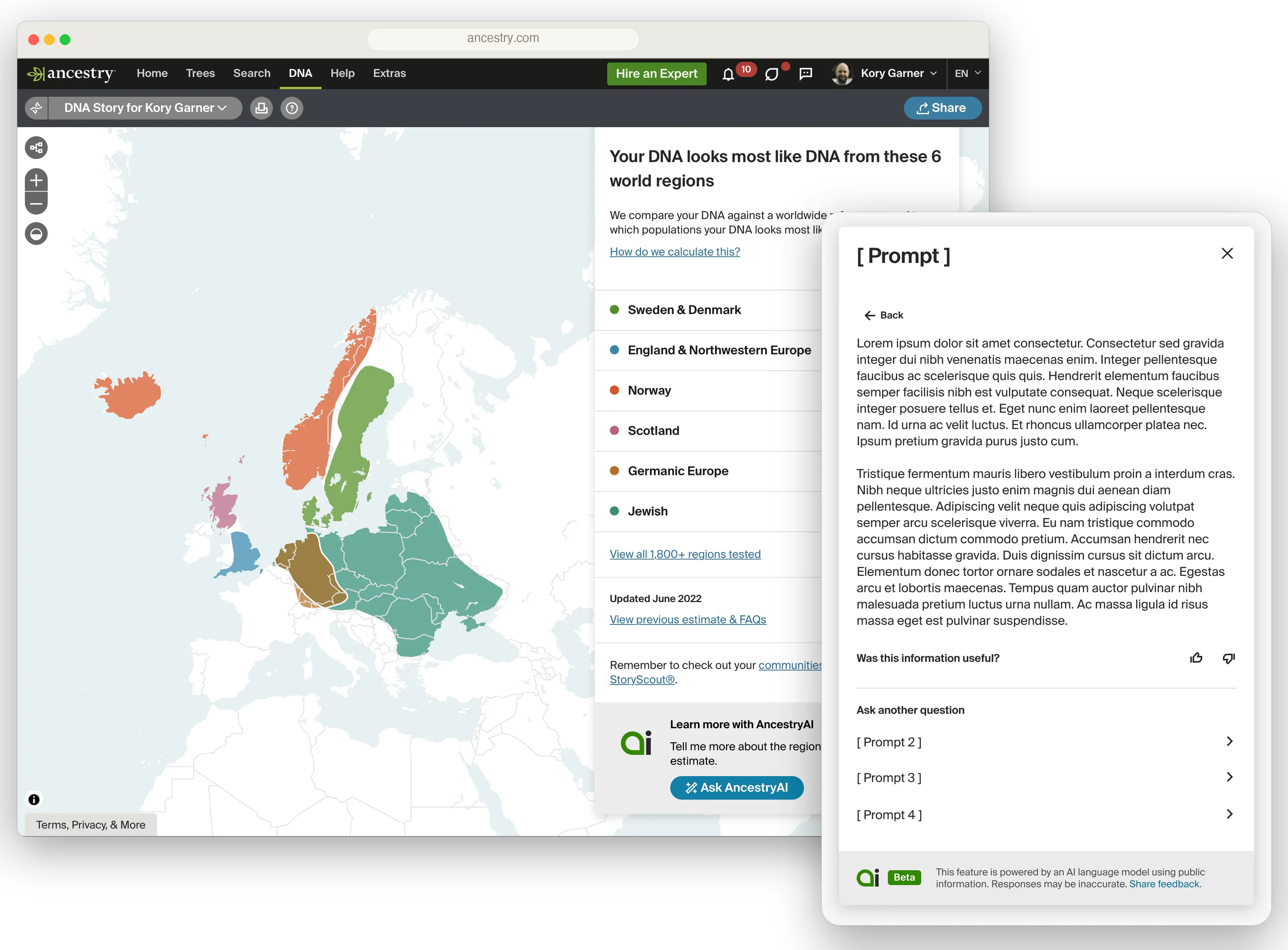
Ancestry employs an entire team of writers to create the content that explains what it means to have DNA from a particular region — the history, the culture. It’s an incredibly time-intensive process to get everything just right, and the downside is that plenty of questions and angles go unexplored because there’s never enough time to write them all. We were asked to see whether AI could help: a Q&A section on the DNA region content, with generated answers picking up where the writers’ time ran out.
Because of hallucination concerns — and the need to stay protected from genuinely harmful failure, insensitive or factually wrong content about people’s heritage — we deliberately did not build free-form “ask anything.” We identified several common types of questions, had the AI generate responses, and then had the writers vet every one before it shipped. Generated once, reviewed by humans, served as static content — and with that, Ancestry’s first shipped generative-AI feature was live. It was very much a small toe-dip into the world of AI-generated content, and that was the right size for the moment.
Designing how AI shows up at Ancestry
The Q&A surface itself was straightforward. The real work — the part that outlived the feature — was deciding how AI should present itself inside Ancestry at all. This was the company’s first generative-AI feature; nobody had needed to answer that before.
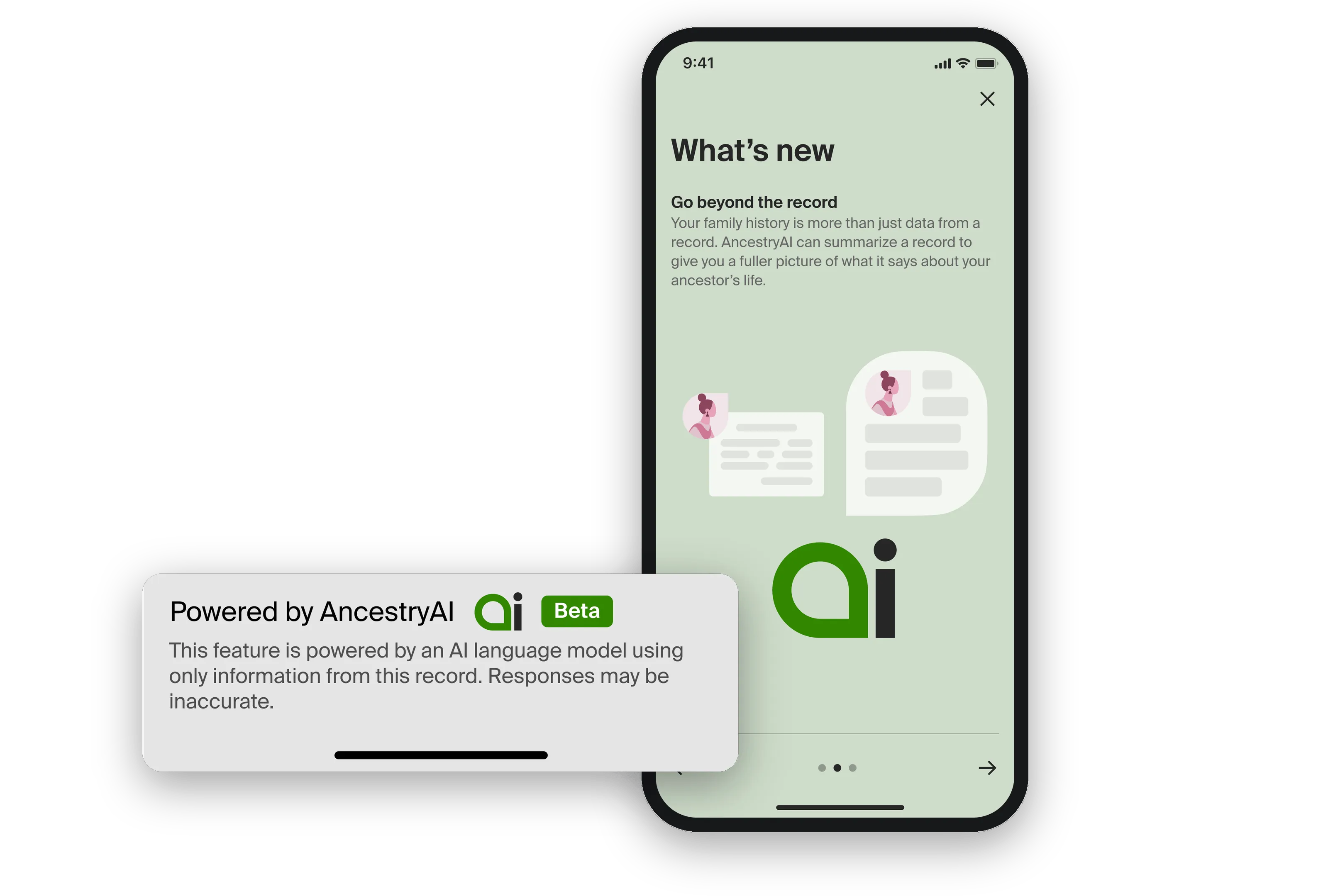
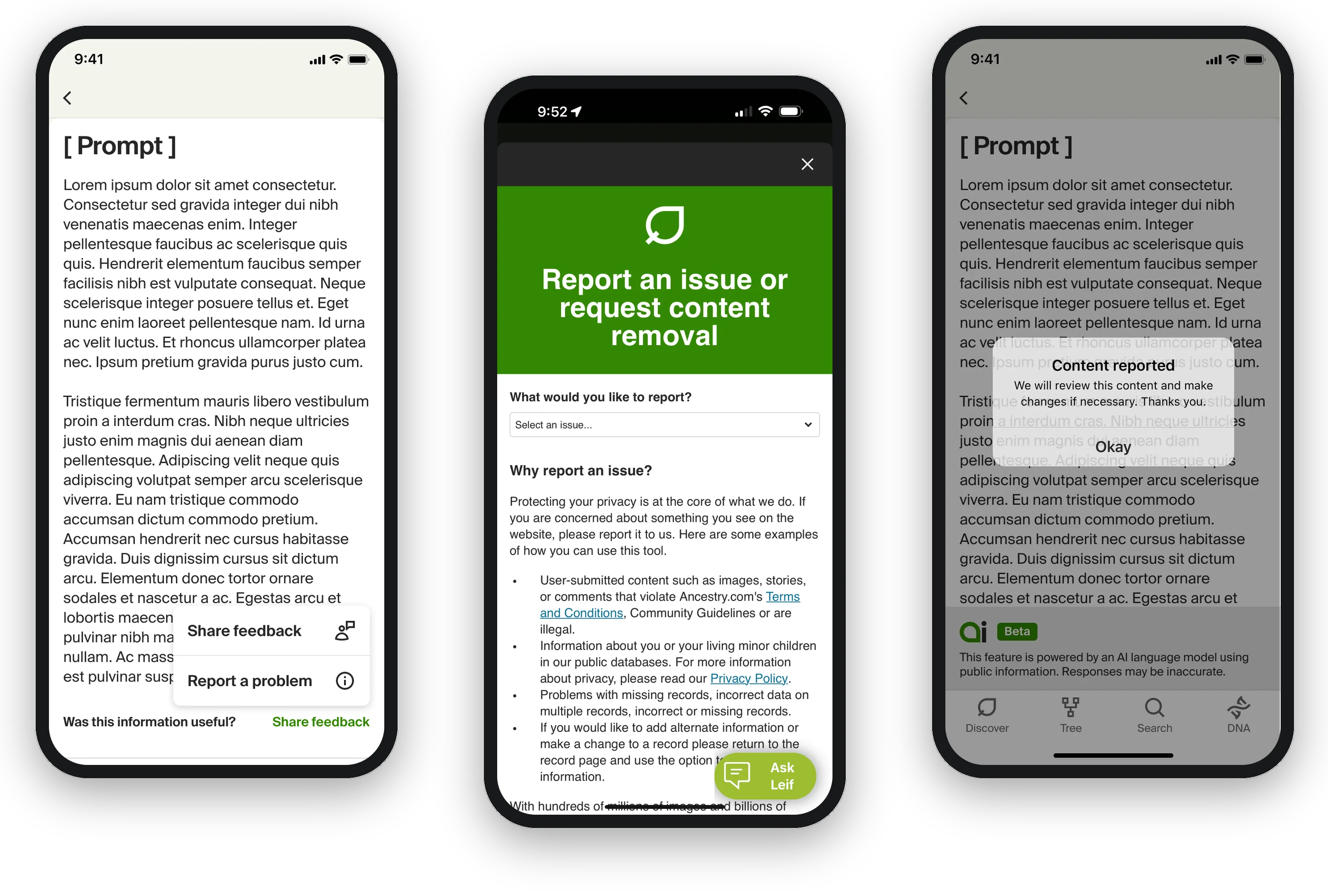
I created the AI icon that marked a feature as AI-powered across the product (it was still in use until quite recently). I designed the feedback pattern — a thumbs up/down on every piece of generated content — and worked with legal on the disclaimer language: what we had to say about AI content and its capacity to be wrong, and where it had to appear. We built a way for users to report a response, so a bad output notified us and got addressed rather than sitting there. And my product partner and I wrote the AI design guidelines that spelled out how to implement AI features at Ancestry — labeling, feedback, disclaimers, the whole kit.
That work became how Ancestry’s future AI features were presented. The plan evolved over time, as original plans should — but it was the original plan.
The leap — live generation
As the models got more powerful and more reliable, we wanted to try something the toe-dip had deliberately avoided: content generated live, not generated once and served from a cache. No writer between the model and the user.
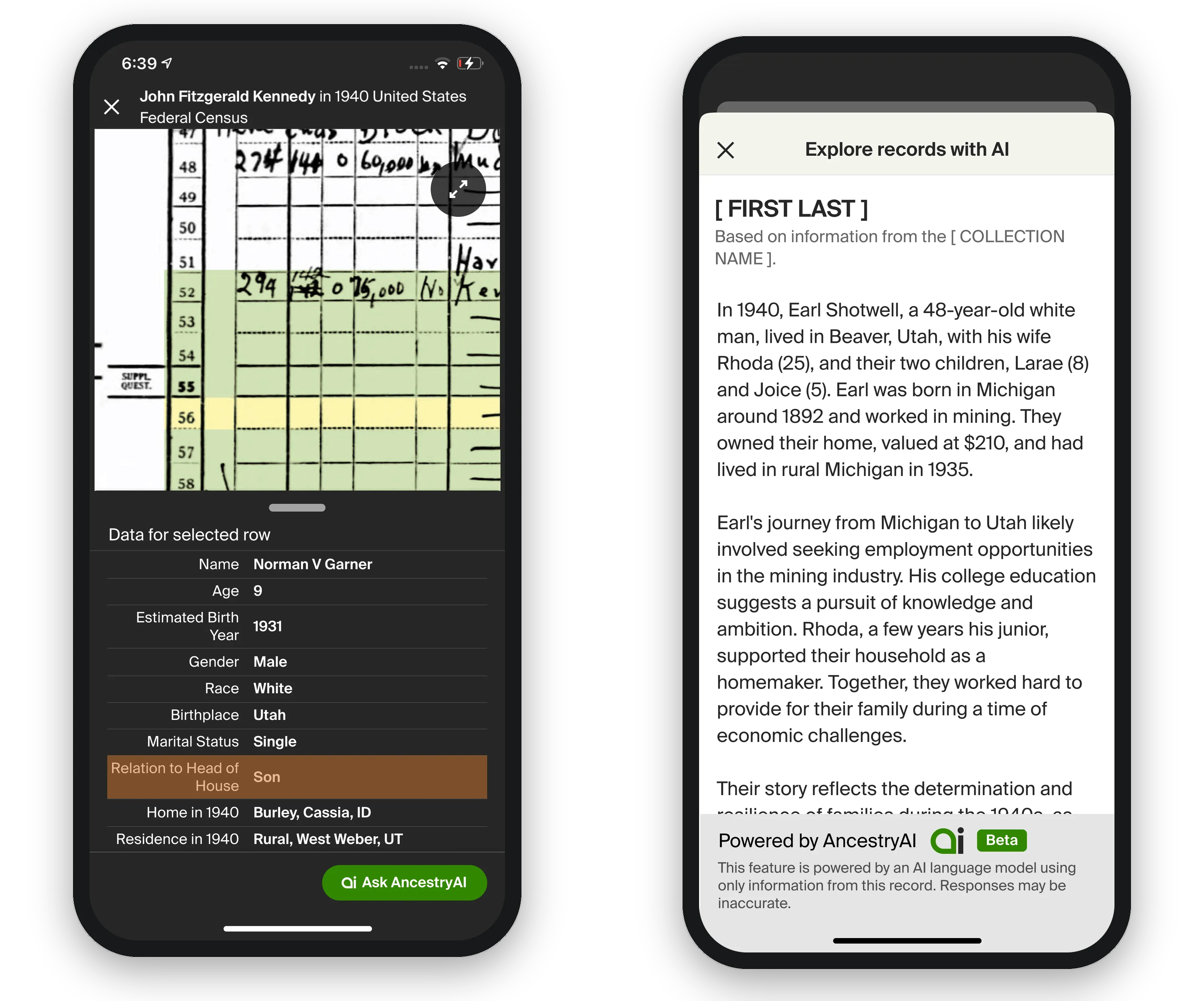
The idea was Record Narratives. Take a record like a census page and have the AI pull out the interesting details people usually don’t notice, then construct a narrative around the story the record is telling — the family your ancestor was living with, what they did for work and what that work was like, where they lived and what that place might have been like at that time. A census page is a grid of terse handwriting; the narrative is what it means.
Nobody handed us this project. We pitched it — after doing enough exploration to show the content could be compelling enough to justify the risk.
Prompt engineering is design work
A lot of the design work on Record Narratives doesn’t look like screens. My product partner and I spent it on prompt engineering: running test after test with different wordings and constructions, feeding in our prompt setup plus the record details, across many different record types, and judging the quality of what came back. Finding the framing that produced reliable results was the product work — the prompt was as much a designed surface as the UI around it.
Designing to a token budget
This was still early days, and the company reasonably didn’t want to pour money into an unproven feature. Cost became a design constraint with teeth:
- Narratives stayed short — three or four paragraphs, enforced through the prompt.
- Nothing was pre-generated. A narrative only existed if a user asked for one — the single biggest cost saver — which meant the wait had to be designed. We streamed the text as it generated, and it was generally quick: you started reading moments after you asked.
- We debated caching generated narratives and decided against it. The odds of two people asking for exactly the same record weren’t high, and the incremental cost of regenerating was small. That decision had a quiet upside: because every narrative was generated fresh, they got better as the models improved, with no work from us.
When the subject is your actual ancestor
Live generation raised the stakes well past the DNA work. A narrative could plausibly get something wrong about someone’s real family — and that’s a different kind of wrong.
Everything we’d built for the toe-dip carried straight over: the AI icon, the thumbs, the disclaimers, the report-a-response pathway. On top of that, we worked the language itself. The prompt framing distinguished between what the record actually states and what’s inference or historical context — plain statements for the facts on the page, softened language (“likely,” “would have”) for everything the record only suggests. The narrative was allowed to be interesting; it wasn’t allowed to be certain about things it couldn’t be certain about.
Shipping it
We shipped mobile first — partly because it was ready earlier, partly deliberately, as a way to test on the smaller-usage platform — and brought it to web soon after. At launch it supported a set of record types, mostly census records from particular countries and years plus a few others, and the set expanded from there.
The launch itself was quiet, coming not long after the DNA Story work; the noise came later, when we announced it on the big stage at RootsTech. It’s fully live on the site today, though still not on every record type.
Outcome
I’ll be honest about the shape of the result: the people who used Record Narratives rated it overwhelmingly positive, but fewer people found their way to it than we hoped. There was a big surge after RootsTech, then usage settled back down. Positive, not an overwhelming success.
The more meaningful outcome is what the company did next: it kept building on the pattern. The groundwork this work laid — the guidelines, the guardrails, the proof that live generation could be done responsibly — became the foundation for the generative-AI features that followed, including AI Stories, the recently launched feature that turns an ancestor’s records into a kind of narrated podcast episode about their life. Internally, the read was clear: there was something real here, and it was worth trying different angles until one truly resonated with customers.
Reflection
Honestly, I went into this work as a bit of an AI skeptic. I was impressed by what the models could do, but I saw the limitations just as clearly — the hallucinations, the confidently wrong facts. Interesting technology; unproven usefulness for work like this.
Over the course of these projects I became more and more convinced there was real potential here. But I still wouldn’t call the person who finished this work a convert. I’d added a lot to my understanding of what AI could do at the time — and just as much to my understanding of where it failed at the time. The full conversion came later, when I started building with Claude Code and saw what AI could actually deliver to a product experience.
What stuck with me is the posture this work taught: be clear-eyed about what these tools can and can’t do today, and forward-thinking enough to see what they’ll make possible as they improve. Back then, everyone working seriously with AI arrived at those same questions and realizations. The designers who’ll do the best work with it are the ones holding both thoughts at once.