View Match's Tree
Letting members explore each other's public trees on mobile — and moving the tree controls down where thumbs actually reach.
- ROLE
- Designer
- TIMELINE
- 2021–2024
- PLATFORMS
- iOS · Android
- COMPANY
- Ancestry
At a glance
- Role: Designer
- Timeline: 2021–2024
- Platforms: iOS · Android
- Context: A long-requested feature, and a testbed for new tree controls
The problem
The original tree viewer was built in a way that quietly blocked something people had asked for for years: viewing another member’s public tree. With DNA back in focus, we finally took it on. At the same time a broader tree-viewer redesign was underway — relocating the controls to more reachable places and opening up room for what would come next. This project became the testing ground for that new control placement.
The approach
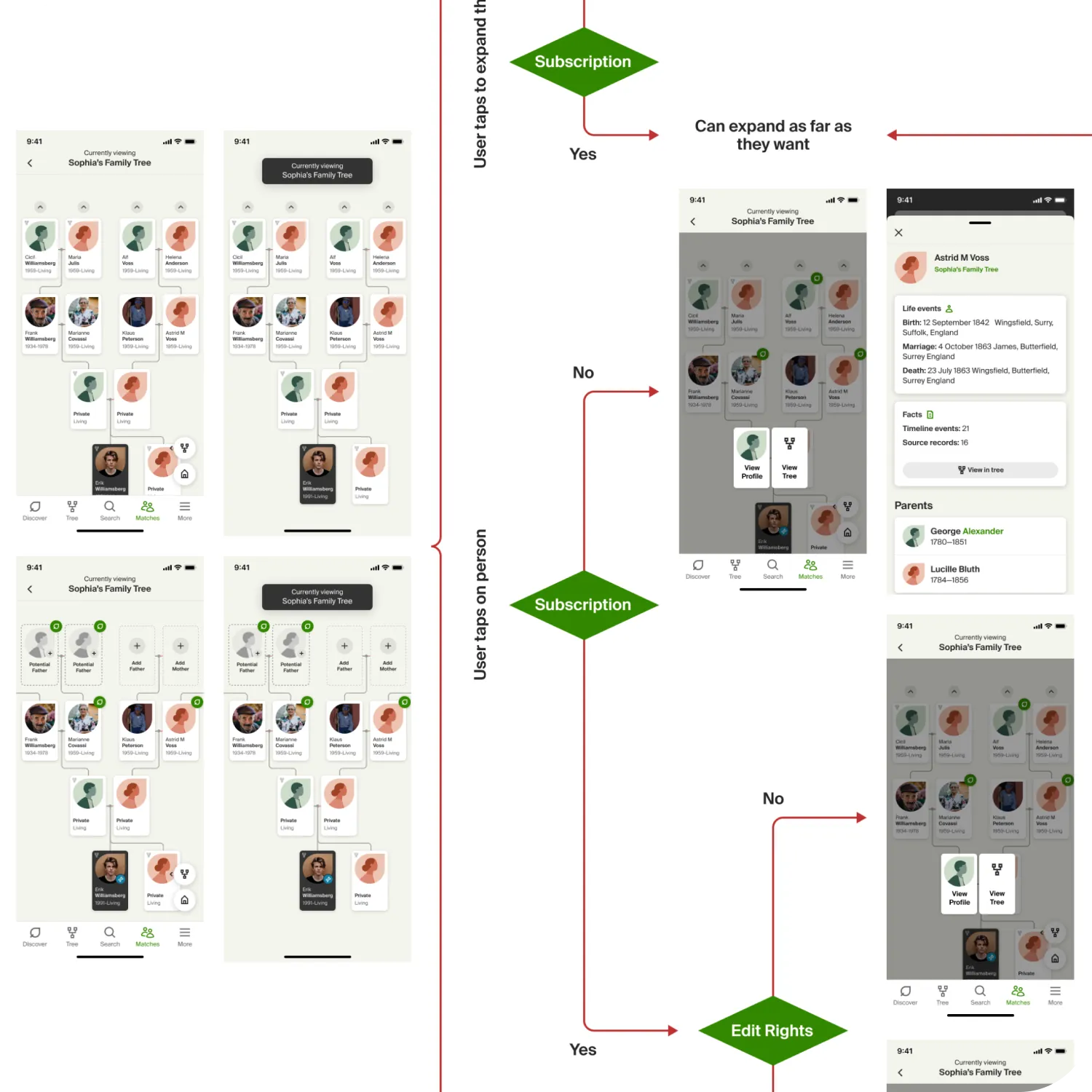
The real work was in the flows. Access wasn’t one thing: it depended on subscription and on where you were, and the two apps handled it differently — the DNA app gave a basic view and pointed people toward Family History for the full picture. I mapped the DNA-app flow and the Family-History-app flow so the feature could drop into multiple places in either app without the logic falling apart.
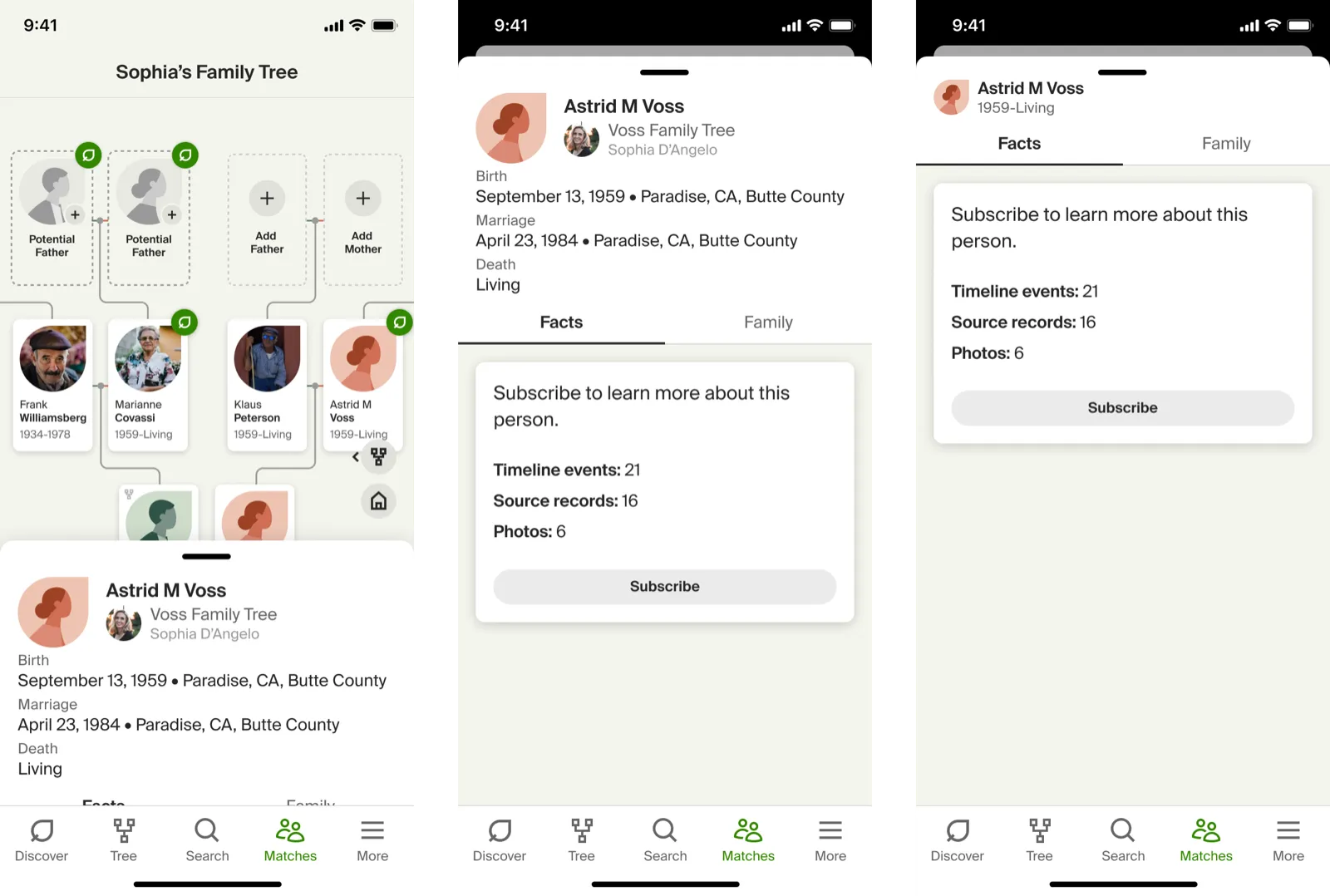
Alongside the flows, the controls moved. They came off the top bar and down into a thumb-friendly zone — easier to reach on the large phones people actually carry, and a step toward a cleaner app hierarchy down the road.
Outcome
It landed well. Research backed it up: people were glad to finally browse other trees, and they liked the relocated controls. The control changes went on to inform the main tree viewer as the redesign continued.